In this article
Title
If you've been doing web work for more than a month, you already know the feeling. You send a client a staging link. You feel good about the work. Then the feedback arrives in five different places, refers to things you can't locate, and includes at least one note that contradicts something from the last round. You spend more time interpreting the feedback than acting on it.
This isn't a client problem. Clients aren't trying to make your life difficult — they just don't have a structured way to tell you what they think. When there's no clear channel for feedback, people fall back on whatever's familiar: email, WhatsApp, voice notes, screenshots. The result is feedback scattered across six apps that you have to stitch together before you can do anything useful with it.
The fix isn't educating your clients. It's giving them a process that makes leaving good feedback easier than leaving bad feedback.
Why client feedback goes wrong
Most feedback processes fail for one of three reasons.
No shared reference point. When a client writes "the hero section feels off," they're describing something they can see on their screen. You're reading it without that context. The gap between what they meant and what you understood is where revision rounds multiply.
Too many channels. Email for some things, Slack for others, Loom for the ones that are hard to describe, WhatsApp for the stuff they thought of at 10pm. Every channel you add is another place to check, another thing to consolidate, another opportunity for something to get missed.
No structure for the client. If you send someone a link and say "let me know what you think," you'll get whatever format they default to. That's usually prose — and prose feedback is the hardest kind to act on. Structure produces better feedback. A client who's clicking directly on the part of the page they want to comment on gives you more useful information than a client writing a paragraph about it.
The real cost of a broken feedback process
It's easy to absorb one or two chaotic feedback rounds as "just how clients are." The cost is harder to see when it's spread across every project.
Time spent interpreting feedback before you can even start acting on it. Revision rounds that happen because something got lost in translation. The context-switching between email, Slack, Notion, and WhatsApp. Clients who lose trust in the process — and in you — when they feel like their feedback isn't landing.
A project with three feedback rounds of pure email chaos might cost you four to six hours of overhead that has nothing to do with the actual work. Across a full client roster, that's a significant amount of time that doesn't show up on an invoice.
What a good feedback process looks like
A good client feedback process has four properties.
One channel. All feedback lives in one place. Not "primarily email with some Slack." One place. When a client has a thought, there's only one right answer for where it goes.
Contextual by default. Feedback is attached to the thing it's about. Not described in prose that requires interpretation — pinned to the exact element, at the exact breakpoint, on the exact page. Contextual feedback is faster to act on and less likely to be misunderstood.
Visible to everyone on the project. Not just you. The client should be able to see what they've already said, what's been addressed, and what's still open. This reduces the "did you get my feedback about the button?" emails and gives clients confidence the process is working.
Low friction for the client. This is the one most agencies get wrong. A feedback process that requires your client to learn a new tool, create an account, install an extension, or watch a tutorial before they can leave their first comment is a process they'll quietly abandon. The threshold for switching back to email is low. The tool needs to be easier than the alternative.
How to collect feedback on a live website
The most effective way to collect client feedback on a website is to let clients leave it directly on the live site — not on a screenshot, not in a document, not described in an email. Directly on the page, on the element they're talking about.
This is what visual feedback tools are built for. The workflow looks like this:
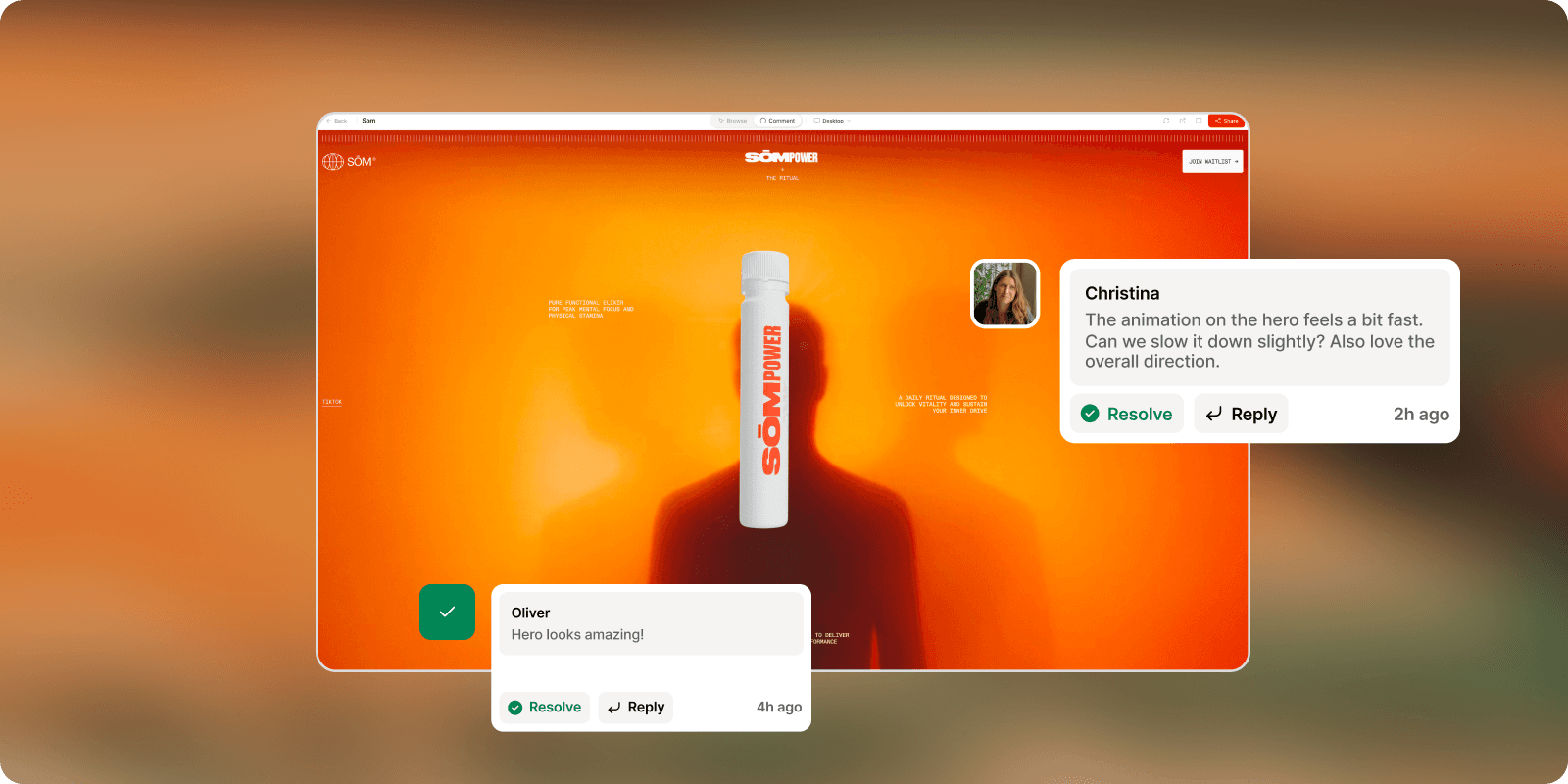
Share a review link, not just a URL. Instead of sending your client the raw staging URL, send them a link that opens the site inside a feedback layer. They see the real site — with all your animations, CMS content, and custom code running — and they can click anywhere to leave a comment. No install, no account, no tutorial.
Let them comment at every breakpoint. A client reviewing on desktop is only seeing part of the picture. Good feedback tools let clients switch between desktop, tablet, and mobile within the same review session, so feedback covers the full responsive design rather than just the screen they happen to be on.
Track what's open and what's resolved. Every comment should have a status. Open or resolved. When you fix something, mark it. The client can see progress in real time rather than having to trust that you received and understood everything they sent.
Connect feedback to where your tasks live. Feedback that lands in a separate tool you have to check manually is feedback that competes with everything else for your attention. The best setups push comments directly into Slack, Notion, or your PM tool as properly formatted tasks — so client feedback flows into the same queue as the rest of your work.
Set clear expectations upfront. Tell the client at the start of the project: feedback happens in one place, here's the link, here's how it works. Not as a lengthy onboarding — one sentence in your project kickoff. "When the preview is ready, I'll send you a link. You can click anywhere on the page to leave a comment." That's it.
Getting better feedback from non-technical clients
Even with the right tool, some clients will write vague feedback. A few things that help:
Give them a frame. Instead of "let me know what you think," ask specific questions alongside the preview link. "Does the homepage hero communicate what the company does within 3 seconds? Does the pricing section feel clear?" Specific questions produce specific answers.
Set a deadline for each round. Open-ended review periods invite procrastination and fragmented feedback that arrives over days. "I'll need feedback by Thursday so I can start revisions on Friday" creates a natural container.
Limit rounds, not changes. Clients who know they only have two feedback rounds tend to consolidate and prioritize. Clients who think revisions are infinite tend to drip-feed changes indefinitely. Set the expectation in your contract and reinforce it at the start of each round.
Don't explain the tool before they've used it. Send the link first. Most clients will figure it out in under a minute. The ones who struggle will ask. Sending a how-to video before anyone has asked for help creates a perception of complexity that wasn't there.
The feedback process in practice
A simple, repeatable process for Webflow projects:
Finish a section or milestone — don't wait until the whole site is done
Share a review link with a short note: what you've built, what you'd like feedback on, and when you need it by
Client leaves comments directly on the live preview
You work through the comments, marking each resolved as you go
Client can see what's been addressed before the next call
That's the whole thing. No consolidation step. No cross-referencing emails against a Notion doc. The feedback is where the work is, and the status is always visible.
Frequently asked questions
How do I get clients to actually use a feedback tool instead of just emailing me? Make the link easier to click than the email is to write. Send the review link as the primary thing — not an attachment, not buried in a paragraph. "Here's your preview: [link]. Click anywhere to leave a comment." When clients try it once and it takes ten seconds, they use it again. The ones who still email you after that — forward the feedback into the tool yourself the first time, so the record stays in one place.
How many rounds of feedback should I allow? Most web projects include two rounds of revisions in the base scope. The first round catches anything that didn't land from the brief. The second addresses what came up after they've lived with the first round. Anything beyond that is a scope conversation, not a process failure.
Should I ask for feedback section by section or on the whole site at once? Section by section, at meaningful milestones. Showing the whole site at once at the end of a project generates more feedback, more anxiety from the client, and less actionable notes. Showing the homepage, getting sign-off, then moving to interior pages keeps momentum and gives clients a smaller surface to focus on.
What's the best way to handle contradictory feedback? Ask for the priority before you start revisions, not after. "I've noted a few requests that pull in different directions — can we get on a quick call to align before I start?" is faster than doing the work twice.
Do I need a paid tool for this? Not to start. Annot has a free plan that covers one active project with unlimited guest reviewers — enough to run a full client review cycle. If you're managing multiple concurrent projects, paid plans start at $9/month.
The best client feedback process is the one that makes bad feedback harder to give than good feedback. That usually comes down to removing the option to send an email and replacing it with something better.
