
In this article
Title
What makes a visual feedback tool worth paying for in 2026
Before the comparison, here's the short version of what to look for.
Client friction. If your client needs an account, a browser extension, or a walkthrough before they can leave a comment, half of them never do. The best tools let a client open a link, click, and type.
Accurate rendering. A feedback tool is useless if it can't show your site correctly. Animation-heavy builds, WebGL, Three.js, scroll effects, and custom code break a lot of tools that load your site inside an iframe. If the preview looks wrong, the feedback is wrong.
Structured capture. Every comment should carry context automatically: the page, the element, the device size, and the client's exact words. That context is what turns "fix the thing" into a task someone can act on.
AI and MCP support. This is the new one. MCP (Model Context Protocol) lets an AI agent read your feedback and act on your site directly. But not all MCP is equal. What the tool passes to the agent decides whether the fix is fast and accurate or slow and expensive. More on that below, because it's where the tools separate.
Price that scales with a small team. Flat pricing or a real free plan beats per-seat pricing that punishes you for growing.
The six tools at a glance
Annot | Marker.io | Markup.io | Pastel | Ruttl | BugHerd | |
|---|---|---|---|---|---|---|
Comment on live site preview, no client login | Canvas link | Widget install | Canvas link | Canvas link | Canvas link | Widget install |
Install required | No | Yes (script/extension) | No | No | No / script tier | Yes (script tag) |
Handles WebGL / animation-heavy sites | Optimized for it | Renders live site | iframe canvas | iframe canvas | iframe canvas | Renders live site |
Multiple breakpoints | Yes | Yes | Yes | Yes | Yes | Yes |
Native MCP server | Yes | Yes | No | No | No | Yes (beta) |
Implement with MCP | Yes | Bug-report focused | No | No | No | Ticket focused |
Other AI features | AI execution via model | Title, translate, rewrite | No | No | No | Auto-title, auto-tag |
Free plan | Yes | No (trial only) | No | No | Yes | No |
Entry paid price | $9/mo | ~$39/mo | $79/mo | ~$35/mo | ~$8/user/mo | Paid tiers |
Prices reflect each vendor's public pricing at the time of writing. Confirm on the vendor's own page before you decide, since these change often.
Now the detail on each.

Annot
Annot is a proxy-based visual feedback tool built for the sites agencies and freelancers actually ship, including animation-heavy Webflow, Framer, and Shopify builds. You paste a URL, share a link, and your client comments directly on the live site. No install, no account, no broken preview. Because it renders through a proxy optimized for animation and WebGL rather than loading your site inside a plain iframe, scroll effects and custom code show up the way they were built.
Every comment is captured with full context: the page, the element, the breakpoint, and what the client wrote. That context is the point. It's what makes the next part work.
Where Annot pulls ahead: MCP built for implementation. Annot's MCP server hands your AI agent more than a comment and a screenshot. Each feedback item arrives as a structured brief with the CSS selector, the computed styles, the parent HTML, the breakpoint, and the client's feedback text. Connect it to Claude, Claude Code, or Cursor alongside your Webflow or codebase MCP, and the agent reads the feedback, locates the exact element, and makes the change. It isn't guessing from a prose description or crawling your DOM to find what "the button" refers to. The element context is already in the brief.
That distinction is what cuts both time and token costs, which we'll break down in a moment.
Pricing. Free plan covers 1 project, 1 page, 1 user, and unlimited guests. Freelance is $9/month for a full website with Slack and file uploads. Pro is $29/month for 3 projects, unlimited users, and all integrations including AI models. Agency is $59/month for unlimited projects. AI model execution is included from Pro up.
Best for: Agencies and freelancers on Webflow, Framer, Shopify, or custom stacks who want animation-safe previews, zero client friction, and an AI workflow that ships fixes instead of just collecting comments.
Marker
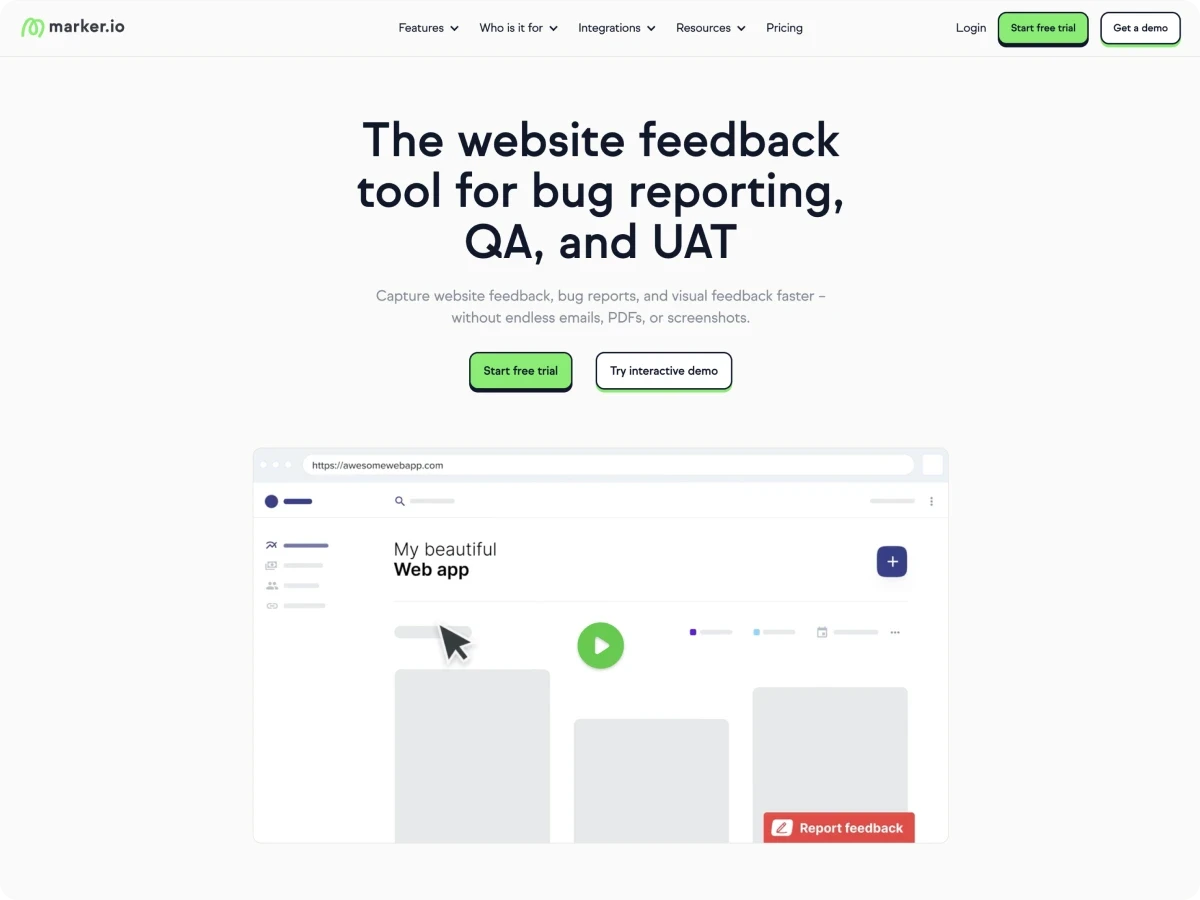
Marker.io is the most mature bug-reporting tool in this group. Its strength is technical depth: annotated screenshots, session replay, and rich metadata including console logs, network requests, browser, OS, and environment. For QA teams filing reproducible bugs, that context is hard to beat.
Marker.io also ships a native MCP server that works with Claude, Cursor, and Windsurf, plus AI features for generating issue titles, translating feedback into your team language, and rewriting rough notes into clear descriptions. The AI features run on Amazon Bedrock.
The trade-offs are setup and price. Marker.io needs a script embed or browser extension on the site, so it isn't a paste-a-URL flow. There's no free plan, only a 15-day trial, and the features agencies want most, like Jira sync and session replay, sit on higher tiers. Its MCP brief is built around bug reports, so it's excellent when the job is "diagnose and reproduce a defect." For "make this design change on the live site," a bug-report brief gives the agent debugging data it doesn't need and less of the element context it does.
Best for: Dev and QA teams that need deep technical bug capture and already work in Jira or Linear.

Markup
Markup.io is a creative review tool that covers a wide range of assets: websites, images, PDFs, videos, and 30+ file types. If your review process spans more than websites, that breadth is genuinely useful, and the annotation experience is clean.
For website-to-implementation work, though, it's the least equipped tool here. It loads sites on a canvas rather than optimizing for live animation, it has no MCP server, and it has no meaningful AI execution layer. Markup.io also removed its free tier in late 2025 and moved to $79/month flat as its entry price, which is a lot for a two-person studio to justify against tools that include integrations and an AI workflow for less.
Best for: Creative teams reviewing mixed media (video, PDFs, images) where website implementation isn't the main job.
Pastel
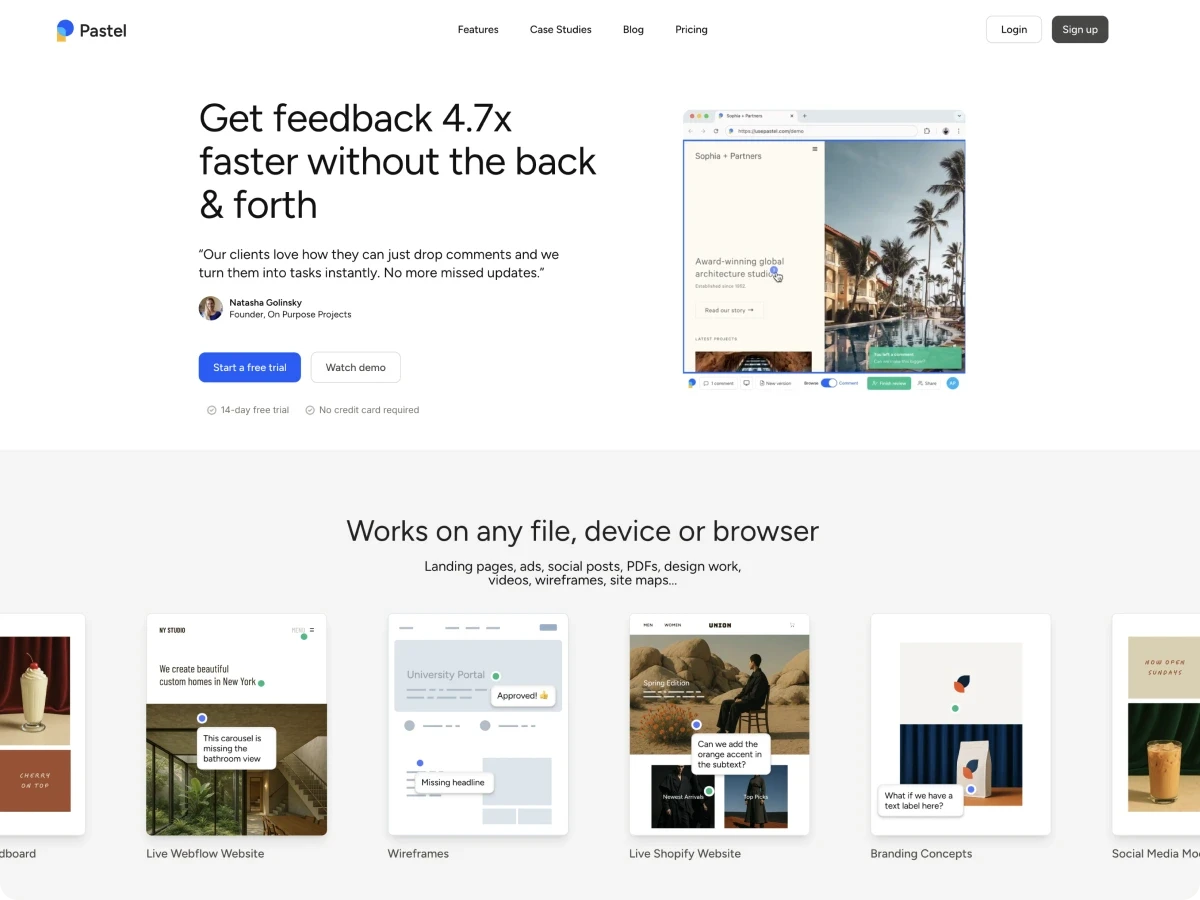
Pastel is a well-known, fast way to collect visual sign-off on live websites. You turn a URL into a canvas, share a link, and reviewers pin comments to elements, with screen resolution and browser type recorded automatically. It does support multiple breakpoints, and it does export tasks to tools like Trello, Asana, Jira, and Monday, so the older reviews claiming otherwise are out of date.
Where it falls behind in 2026 is the AI layer. Pastel has no MCP server and no AI execution, and users have been openly asking for it. Feedback lives on an iframe canvas rather than the real animated site, and integrations are gated to its higher Team tier. It's a solid comment-collection tool. It just stops at collection, right where the interesting part now begins.
Best for: Teams that want straightforward visual approvals and don't need an AI implementation workflow.

Ruttl
Ruttl earns a spot for a feature the others mostly lack: an edit mode that lets you make live design changes, adjust CSS values, and hand developers precise numbers instead of vague notes. It also offers video feedback, responsive views, version history, and a Slack integration, and it keeps a free tier plus low per-user pricing.
The gaps are on the AI and platform side. Ruttl has no public API and no MCP server, so there's no way to hand your feedback to an AI agent for execution. Its free flow is iframe-based, and its paid script tier and cancellation process have drawn criticism. It's a capable manual tool. It just keeps the human in every step by design.
Best for: Designers and small teams who want to make quick visual edits themselves and value low per-user cost.

BugHerd
BugHerd is the agency favorite for turning client comments into a managed workflow. Reviewers point, click, and comment on a live or staging site, and every item lands on a Kanban board with browser, OS, URL, selector, and a screenshot attached automatically. It integrates with around 20 tools including Jira, Asana, ClickUp, Monday, Trello, Slack, Linear, and GitHub.
BugHerd has moved on AI too. It ships a BugHerd MCP server (in beta) that lets Claude pull tickets, act on comments, and change status, plus AI features like auto-title generation, auto-tagging, and similar-task detection on higher tiers. Real users report the Claude MCP saving meaningful triage time.
The trade-offs: BugHerd needs a JavaScript tag installed on the site, its rendering isn't tuned for animation-heavy builds the way a purpose-built proxy is, and its MCP is oriented around tickets and bug context rather than implementation-ready element briefs. It's a strong choice when the board and the workflow are the point.
Best for: Agencies that want a full Kanban feedback workflow with mature integrations and are fine installing a script.
The feature most comparisons miss: what your MCP actually hands the AI
Here's the part that decides whether "AI-powered feedback" is a real time-saver or a line on a pricing page.
MCP support is becoming table stakes. Annot, Marker.io, and BugHerd all have it. Markup.io, Pastel, and Ruttl don't. But the presence of an MCP server tells you almost nothing on its own. What matters is the brief it hands the agent, because that brief decides how much work the agent has to do before it can make a single change.
Think about what an AI coding agent needs to fix "this heading is too tight on mobile." It needs to know which element the client meant, what that element's current styles are, where it sits in the markup, and which breakpoint is affected. If the feedback tool passes all of that, the agent goes straight to the fix. If it doesn't, the agent has to reconstruct it: read a screenshot, crawl the DOM, search the codebase, and guess which element matches the comment. Every one of those discovery steps is tokens spent and a chance to edit the wrong thing.
This is why the shape of the brief matters more than the checkbox.
Annot passes an implementation brief: CSS selector, computed styles, parent HTML, breakpoint, and the client's words. The agent locates the element and edits it. Minimal discovery.
Marker.io and BugHerd pass a bug-report or ticket brief: screenshots, console logs, network requests, environment data, status. Excellent for reproducing a defect. Heavier and less targeted when the job is a design or layout change, so the agent still does discovery work to find the element.
Markup.io, Pastel, and Ruttl pass nothing to an agent, because there's no MCP. The interpretation and implementation stay fully manual.
The practical result compounds across a revision round. On a round of twenty comments, a tool that hands the agent precise element context lets it batch, prioritize, and execute with fewer wrong turns. A tool that makes the agent rediscover each element from a screenshot burns more tokens per comment and produces more edits you have to catch and correct. Fewer discovery steps means faster rounds, more accurate fixes, and a smaller bill from your model provider.
That's the argument for judging a visual feedback tool in 2026 not by whether it has AI, but by how little work its feedback makes the AI do.
Which visual feedback tool should you choose?
There's no single best visual feedback tool for every team. There's a best one for your workflow.
You build animation-heavy sites and want AI to ship fixes: Annot. Proxy rendering that survives WebGL and scroll effects, no client friction, and an MCP brief built for implementation.
You file reproducible bugs and live in Jira: Marker.io. Deepest technical capture and session replay.
You review video, PDFs, and mixed creative assets: Markup.io. Widest file-type support.
You want quick visual sign-off and nothing more: Pastel. Simple, proven comment collection.
You want to make live edits yourself at low per-user cost: Ruttl. Edit mode and cheap seats.
You want a full Kanban workflow with deep integrations: BugHerd. Mature board and 20+ integrations.
If your work is building and shipping websites, and you want feedback that flows into an AI agent instead of your to-do list, that's exactly what Annot is built for.
Frequently asked questions
What is a visual feedback tool? A visual feedback tool lets clients, teammates, and stakeholders leave comments directly on a live website or design instead of describing problems in email or Slack. Each comment is pinned to the exact spot it refers to and captures context like the page, element, and device size, so the person fixing it knows precisely what and where.
What is the best free visual feedback tool? Annot and Ruttl both offer real free plans. Annot's free plan covers one project with unlimited guest reviewers and no client login. Markup.io and Marker.io no longer offer free plans, only trials.
Do visual feedback tools work with AI coding agents? Some do. Annot, Marker.io, and BugHerd offer MCP servers that connect your feedback to AI agents like Claude and Cursor. The difference is what each passes the agent. Annot sends implementation-ready element context (selector, computed styles, parent HTML, breakpoint), which lets the agent make the change directly. Bug-focused tools pass debugging data that's better for reproducing defects than for making design edits.
How does structured feedback reduce AI token costs? When a feedback tool passes the agent the exact element and its current styles, the agent skips the discovery work of reading screenshots, crawling the DOM, and searching the codebase to find what a comment refers to. Those discovery steps are where tokens get spent and where wrong edits happen. Precise element context means fewer steps, fewer tokens, and more accurate fixes.
Do my clients need an account to leave feedback? With Annot, no. Guest reviewers open a shared link, enable commenting, and leave feedback on the live site without signing up. Tools that require a script install or a client account add friction that lowers how much feedback you actually get.
Which visual feedback tool is best for Webflow, Framer, or Shopify? Annot is purpose-built for these stacks, with proxy rendering that keeps animations and interactions intact and MCP that pairs with Webflow MCP or your codebase to turn feedback into live changes.
